![logo_full_orange@3x (1).png]](https://support.botdoc.io/hs-fs/hubfs/logo_full_orange@3x%20(1).png?height=40&name=logo_full_orange@3x%20(1).png)
Prerequisite: Before licenses can be assigned to a Workspace, you must have created at least one Onboarded Workspace.
To start, when logged in, navigate to your onboarded Workspaces. (Partnerships > Workspaces)
-
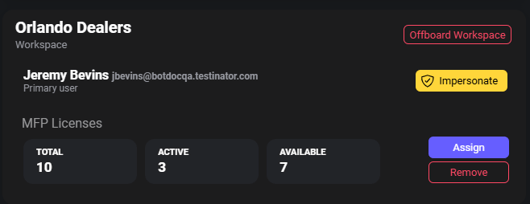
Navigate to the Workspace you want to manage.
-
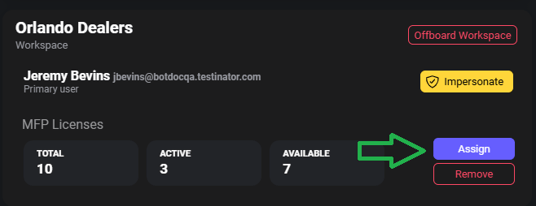
Locate the MFP license assignment option. Click "Assign"
-
Enter the number of licenses you want to assign to the Workspace.
- You will be shown how many licenses you have available to be assigned.
-
When the quantity is entered, click "Assign" to submit the license assignment.
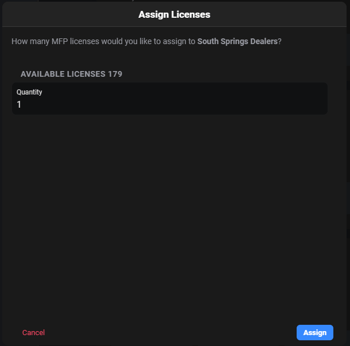
If the quantity you entered is valid, the licenses are assigned to the Workspace and become active for that Workspace.
The system will communicate Success or Failure on the license assignment. If you have any issues or questions, reach out to support@botdoc.io.