![logo_full_orange@3x (1).png]](https://support.botdoc.io/hs-fs/hubfs/logo_full_orange@3x%20(1).png?height=40&name=logo_full_orange@3x%20(1).png)
The MFP License page (MFP > Licenses) shows all licenses associated with a Partner account. It also provides a breakdown of the total licenses and their current status, including Active, Assigned, Available, Suspended, and Revoked.
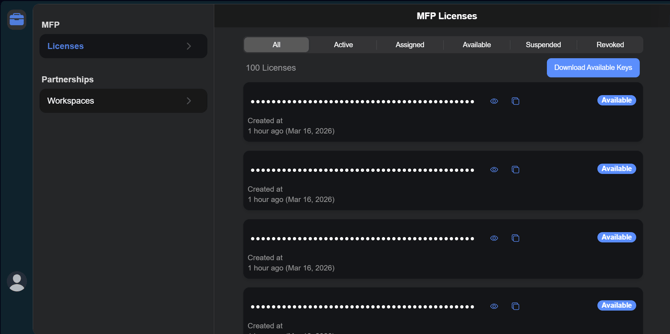
Listed Status Meanings:
- All - All Licenses Managed by you as the Partner
- Active - Assigned to an onboarded Workspace AND is actively in use on an MFP.
- Assigned - Assigned to an onboarded Workspace AND not currently in with an MFP.
- Available - Unassigned and Available licenses.
- Suspended - (*In Development)
- Revoked - (*In Development)