![logo_full_orange@3x (1).png]](https://support.botdoc.io/hs-fs/hubfs/logo_full_orange@3x%20(1).png?height=40&name=logo_full_orange@3x%20(1).png)
*As a Partner, this view is visible only when you are "Impersonating" an Onboarded Workspace user.
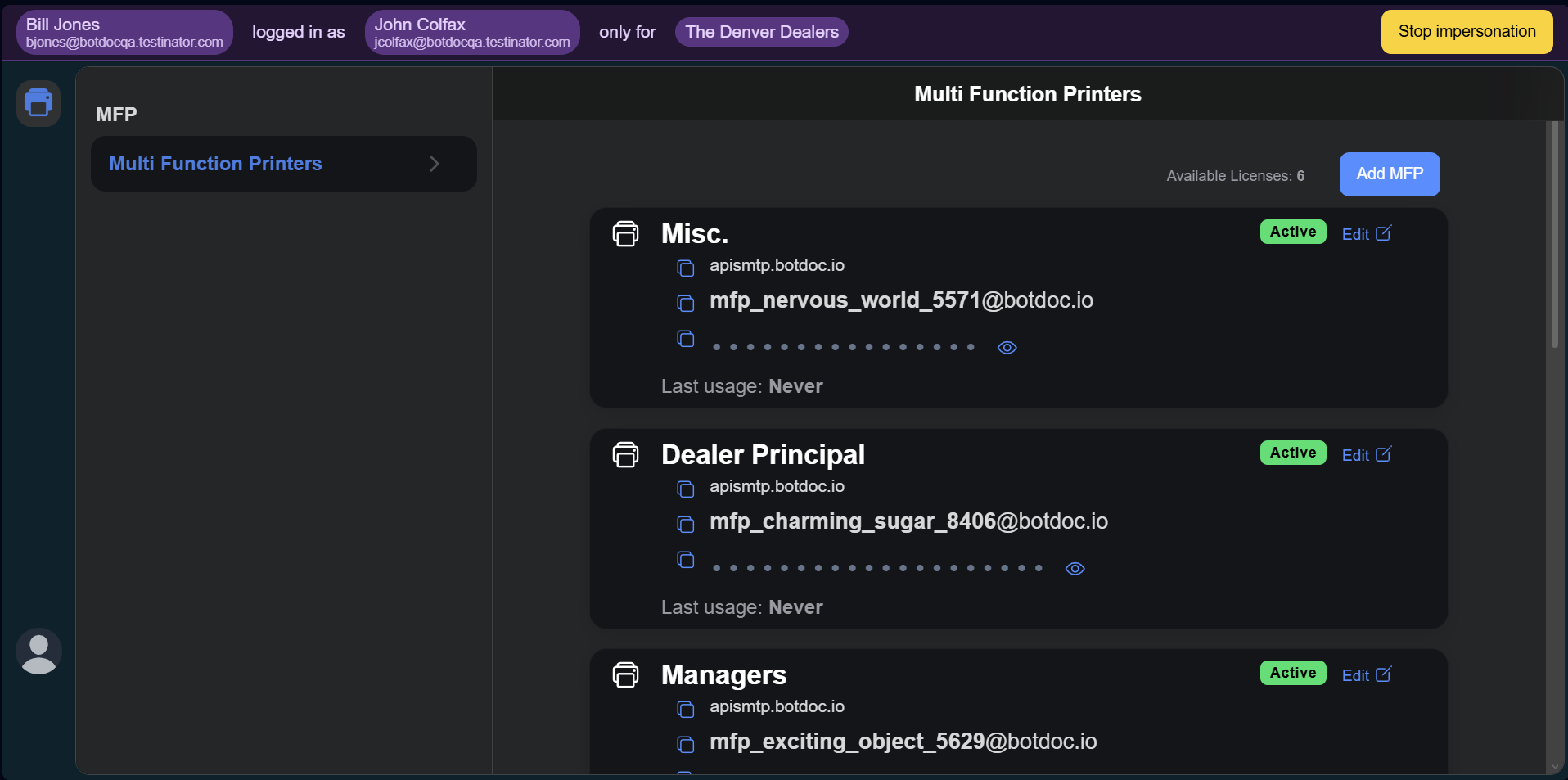
1. The "Multi Function Printers" list page displays:
-
Available Licenses Counter
-
Shows how many licenses are still available in this Workspace
-
-
“Add MFP” button
-
Opens the flow to create and connect a new MFP
-
-
List of existing MFPs
2. MFP Card Details
Each MFP "card" on the list displays the following information:
-
Name / Label
-
SMTP Server Address
-
Includes a Copy button
-
-
Auto-generated Email Address
-
Includes a Copy button
-
-
Password
-
Includes:
-
Copy button
-
Reveal / Hide toggle
-
-
-
Status
-
Shown as Active once created and connected
-
-
Last Usage:
-
Shows the timing and information on the last usage or last scan.
-